

1. Inbound SMS Agent
To deploy an SMS Agent that responds to inbound SMS messages: Step 1: Set up the Trigger for Inbound SMS Messages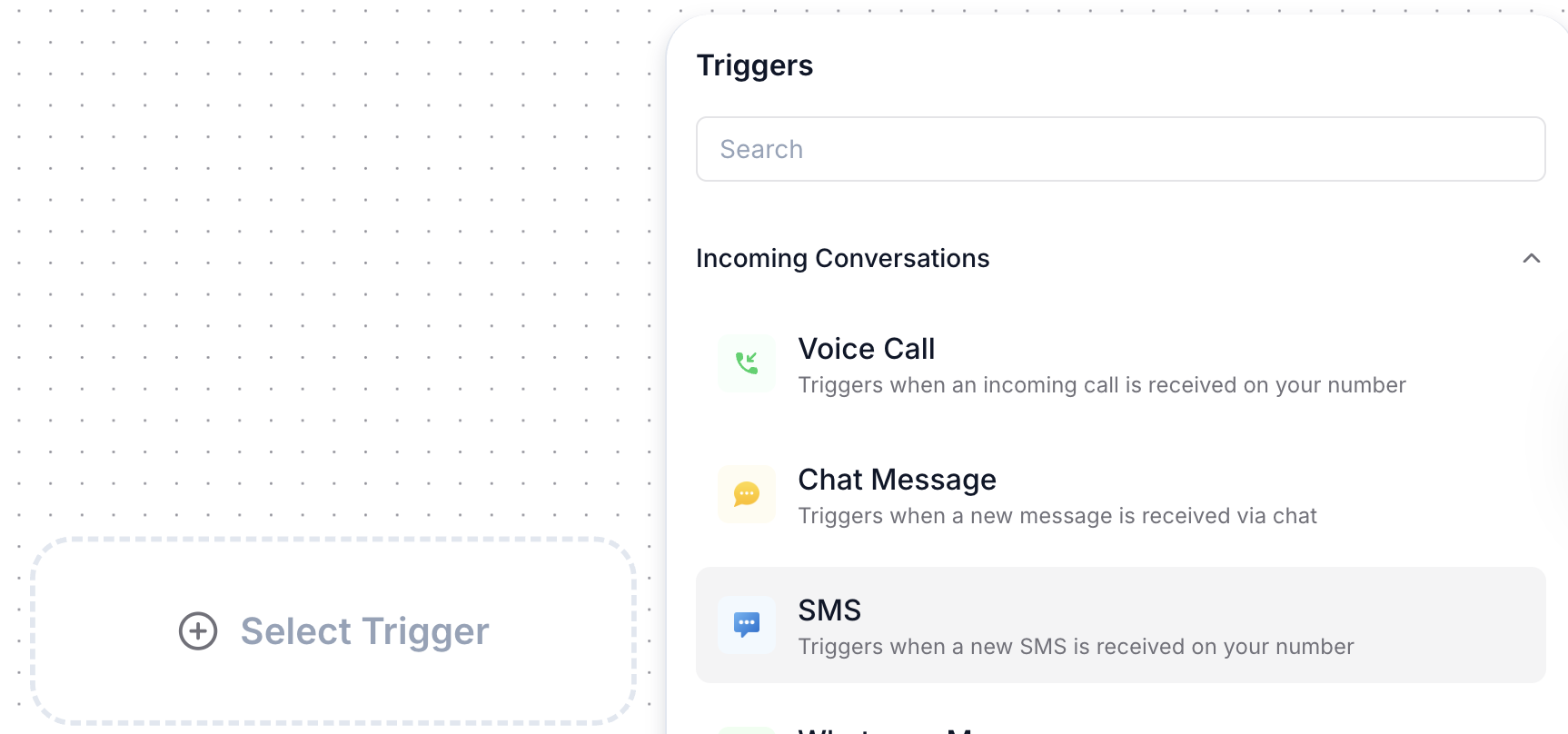
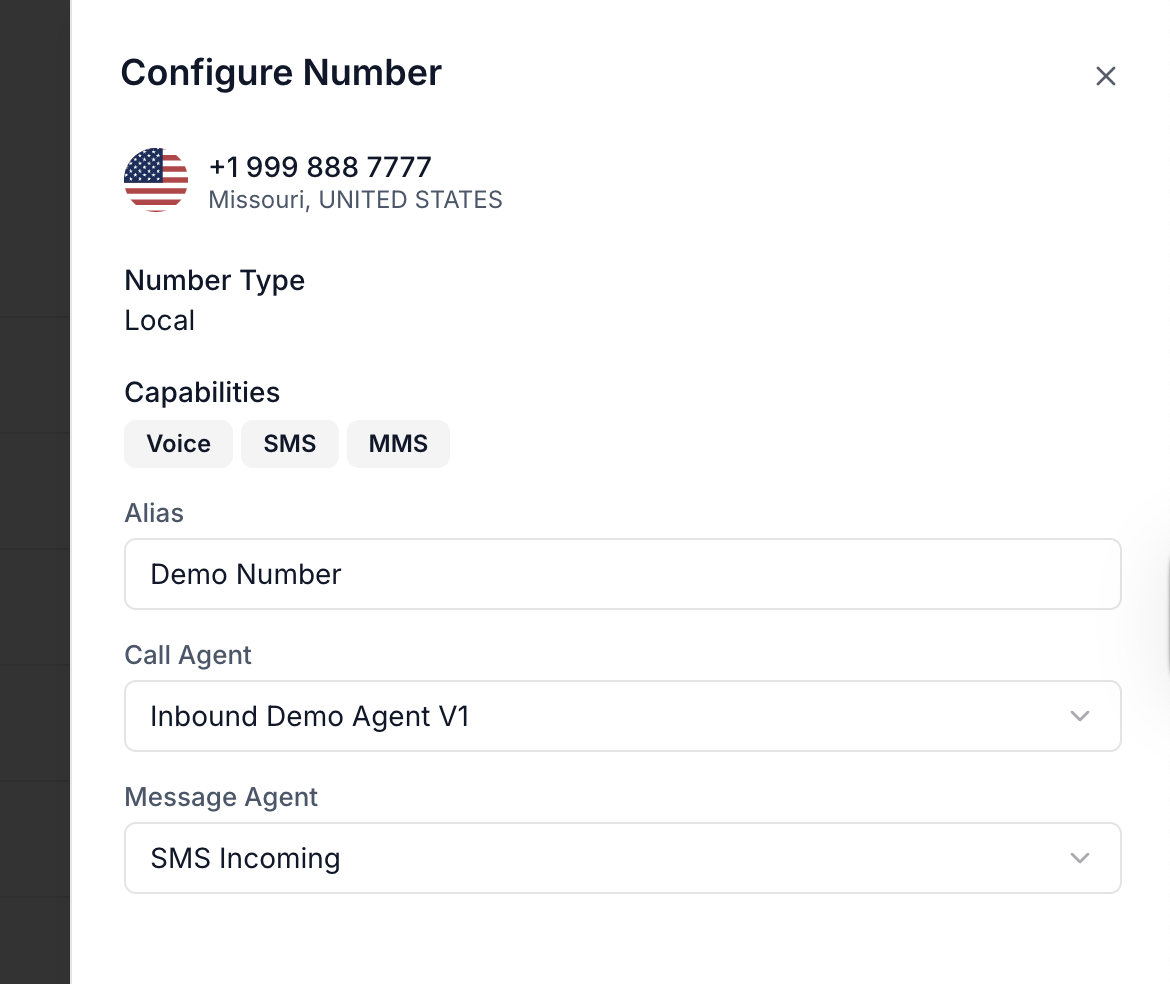
- In the “Message Agent” field, select the agent flow you’ve created for handling inbound SMS.
- Ensure that the correct phone number is mapped to this flow.
2. Outbound SMS Agent
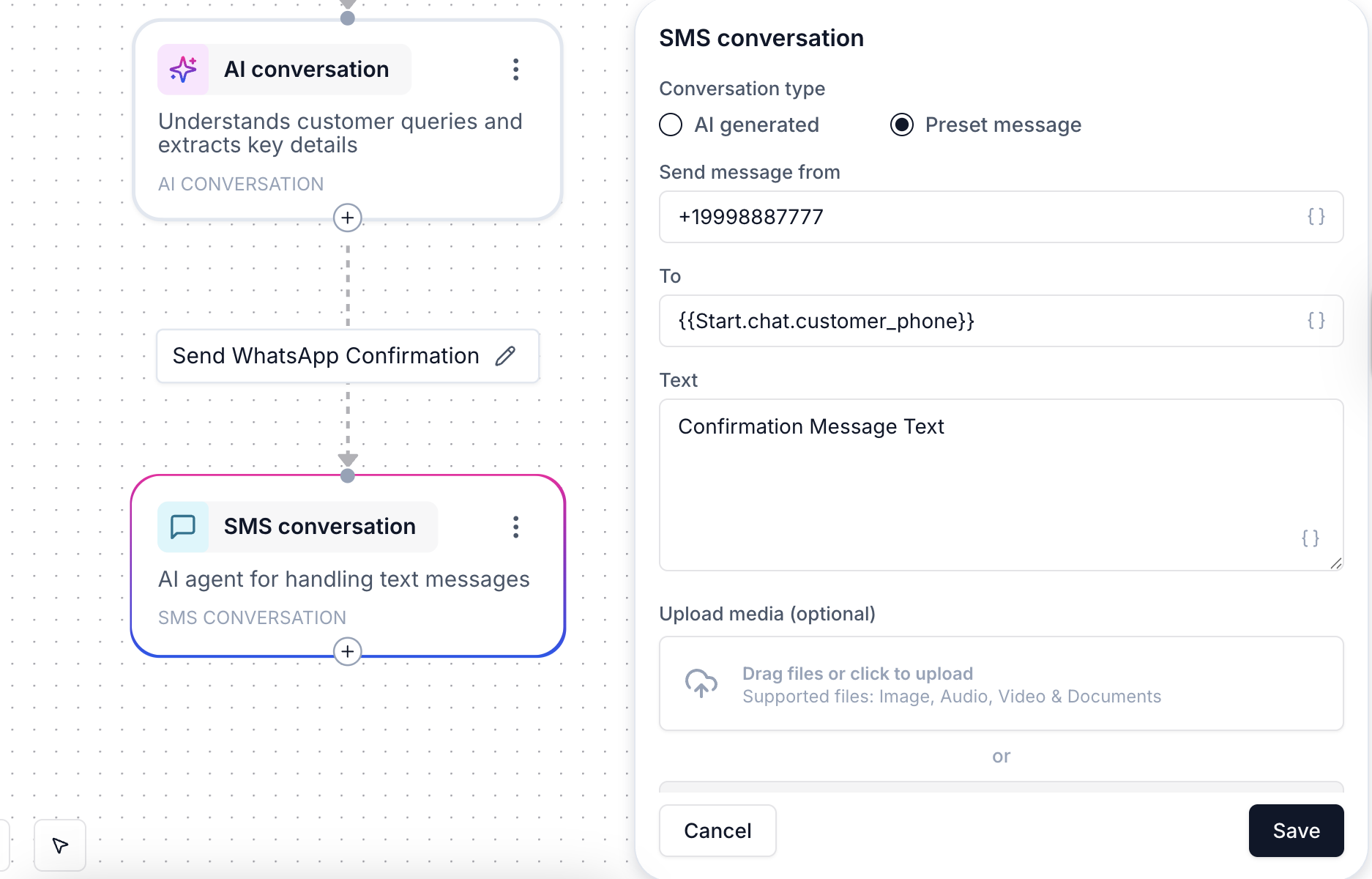
- Choose SMS as the channel.
- Set the From Number as a rented number or SID from your Plivo account.
- Enter the To Number, which can be either a dynamic value or a fixed number.
- API Integration: Use the “Trigger an API Request” node to trigger the outbound SMS via an external API.
- Agent Flow Branching: You can trigger the outbound SMS within your agent flow based on certain conditions or events.
Concluding Notes:
- Inbound SMS: When a customer sends an SMS to your phone number, the agent flow associated with that number will be triggered automatically to respond to the incoming SMS.
- Outbound SMS: Outbound SMS can be triggered by API calls or initiated directly within your agent flow using the “Send Message” node.
- Agent Flow Flexibility: Your agent flow can be designed to dynamically respond based on conditions such as message received, or different scenarios like failed or successful message deliveries.