

Feature Overview
Use Business Hours to:- Set operating schedules for support teams across timezones.
- Automatically adjust routing logic based on working days and hours.
- Respect national holidays by linking to predefined Holiday Groups.
- Create time-based rules in your flows using the Business Hours node.
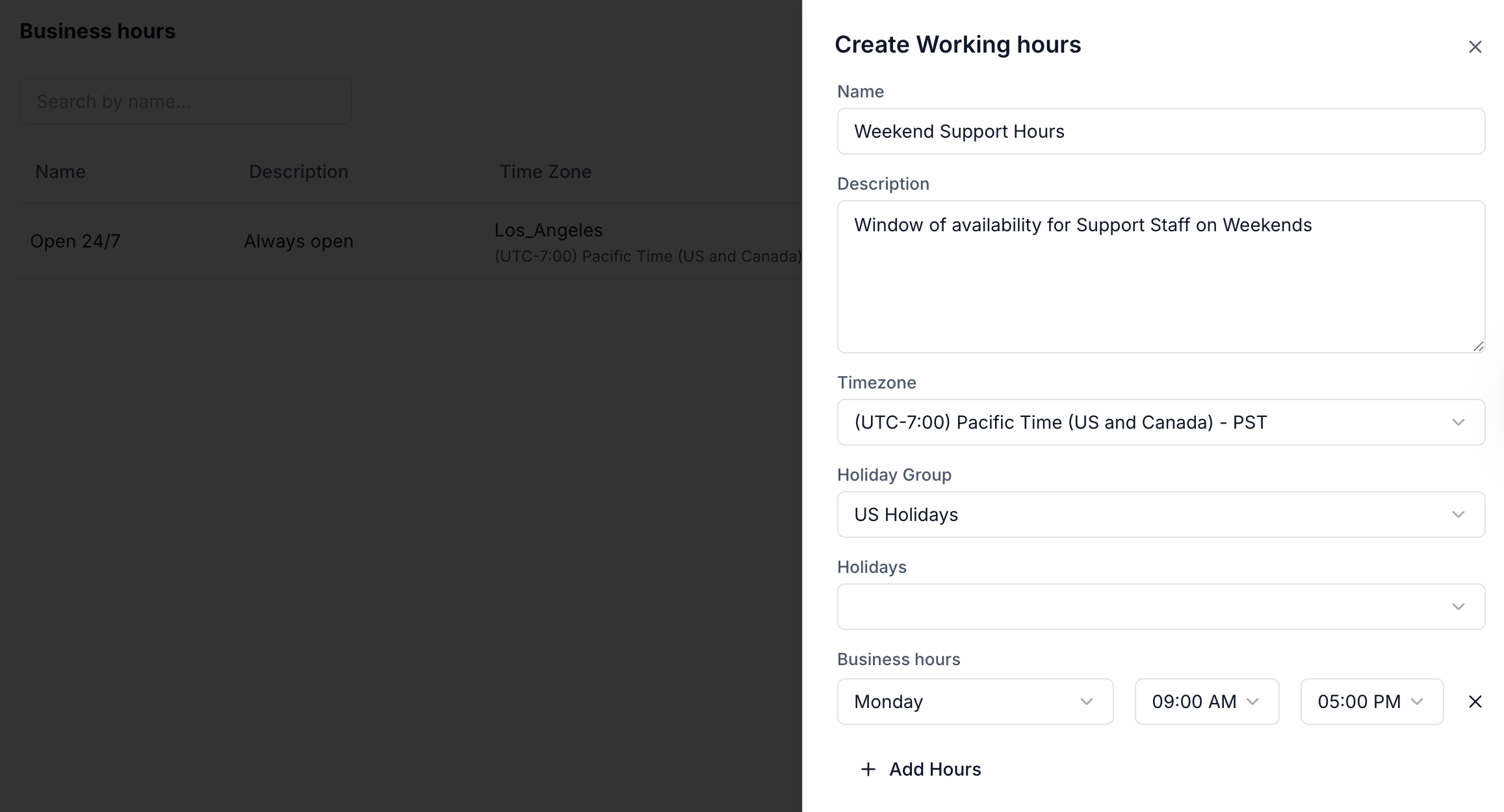
Defining Business Hours
You can edit, delete, or prioritize multiple entries depending on your operational needs.
Business Hours Node (Flow Integration)
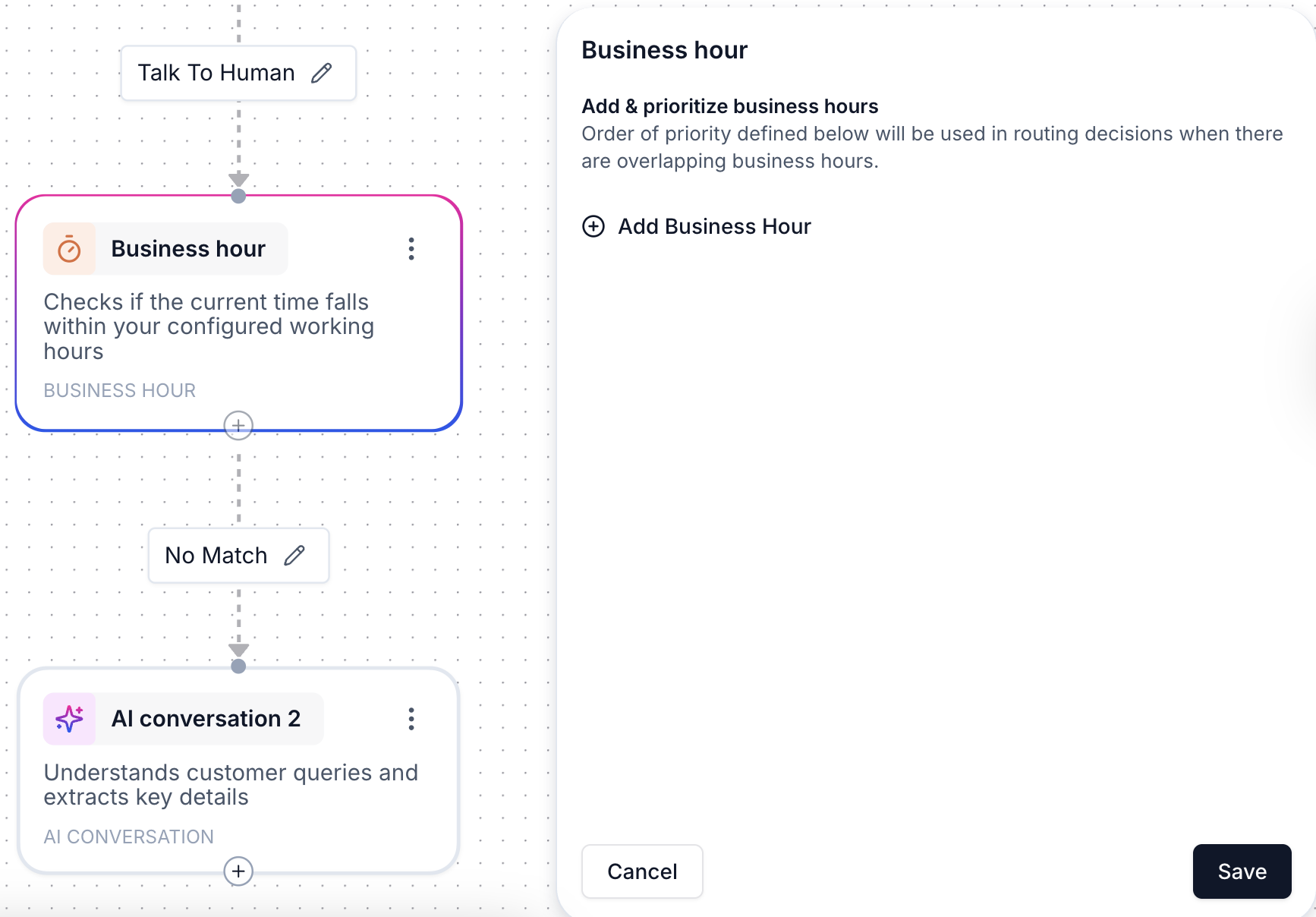
- If the condition is met, the flow continues down the “open” path.
- Otherwise, it can route to after-hours automation, fallback queues, or task creation.
- Live agent handoff only during business hours
- Custom offline messaging
- Deferred handling via tasks or follow-up alerts
Example
You create a “US Business Hours” schedule for 9 AM – 5 PM (IST), Monday to Friday.In your agent flow:
- The Business Hours node checks if it’s within this window.
- If true, the user is routed to a live agent queue.
- If false, the user receives a message like “Our team is offline right now—we’ll get back to you soon.”